
o
In this Section, called Tips & Hints among others it will include our News, Important Information about computers, what computer Users should know, Computer History and Basic Facts, New technologies, frequently asked questions and of course SPECIAL OFFERS !
I hope you will find it interesting.
We are at your disposal to serve with excellence and efficiency all your Software Needs.
Please feel free to contact us for any questions, ideas, suggestions or anything else you wish to tell us. Your feedback is highly important to help us become even better.
With Kind Regards
Athos D. Tillyris
Managing Director
ADA Computer Software
May 2018
[
Index
·
30th Anniversary· Everybody is asking… what Ada’s name means
· 20 Reasons for choosing ADA’s Software
· ADA-ERP
· ADA-Retail for Small Business & POS from 1499,00 EUR !
· Learn about ADA - Free CDROM - ADA's Web
· Migrating from DOS to Windows
· You Ask we Answer – A FREE Service for all
· Always buy original Software
· Why Maintenance is Important?
· Buying a computer – Important hints
· What is a computer – A little bit of History
· Computers in Schools – It’s all Chinese to me…
30th ANNIVERSARY !
In 2015 we are celebrating our 30th Anniversary. ADA is one of the very few Computer Companies in Cyprus which manage to stay in business for so many years and grow as one of the major Software Provides in Cyprus . ADA is the Oldest Software House in Cyprus. ADA started as a one man business and grew all these years due to the loyal trust to our esteemed Clients which we thank for their loyalty and trust all these years.

More than 800 Clients and more than 2000 Companies in Cyprus and Abroad entrusted ADA Software for their computerisation since it was established in 1985.
The main History Dates of ADA since 1985 are:-
Everybody is asking… What Ada’s name means
 Many times
we are asked why we named the company ADA or AIDA !
Some think
that are the initials of ADA’s owner, other people think that is the name of
opera of Verdi AIDA, some even believe is the owner’s girlfriend’s name and
some more literate say it’s the name of the computer programming language
ADA. Very few people know or can imagine.
Well ADA is
the name of ADA Augusta Byron, daughter of the Lord Byron, the great British
poet and Philleline, who died in Messolongi in Greece during the Greek
Revolution against the Turks. ADA was a great mathematician and she was also
known as Lady Lovelace after her marriage to Lord Lovelace.
ADA worked closely with Charles Babbage who invented
the first computer, applying the important principles of the computers in
1832. ADA wrote the first computer programs for Babbage computer on metallic
punch cards, and is therefore considered the 1st Computer
Programmer of the world. You can say
that Charles Babbage is the Father of Computers and ADA the mother of
Computers!
To honour
ADA and all the women of the world ! we named our company after her.
Many times
we are asked why we named the company ADA or AIDA !
Some think
that are the initials of ADA’s owner, other people think that is the name of
opera of Verdi AIDA, some even believe is the owner’s girlfriend’s name and
some more literate say it’s the name of the computer programming language
ADA. Very few people know or can imagine.
Well ADA is
the name of ADA Augusta Byron, daughter of the Lord Byron, the great British
poet and Philleline, who died in Messolongi in Greece during the Greek
Revolution against the Turks. ADA was a great mathematician and she was also
known as Lady Lovelace after her marriage to Lord Lovelace.
ADA worked closely with Charles Babbage who invented
the first computer, applying the important principles of the computers in
1832. ADA wrote the first computer programs for Babbage computer on metallic
punch cards, and is therefore considered the 1st Computer
Programmer of the world. You can say
that Charles Babbage is the Father of Computers and ADA the mother of
Computers!
To honour
ADA and all the women of the world ! we named our company after her.
20 Reasons for choosing ADA Software

The ADA-Business Software that has unbeatable Low Price and offers the Advantages of the Very Expensive ERP Software. The Software that was developed in Cyprus by ADA bearing in mind the local and International Standards.
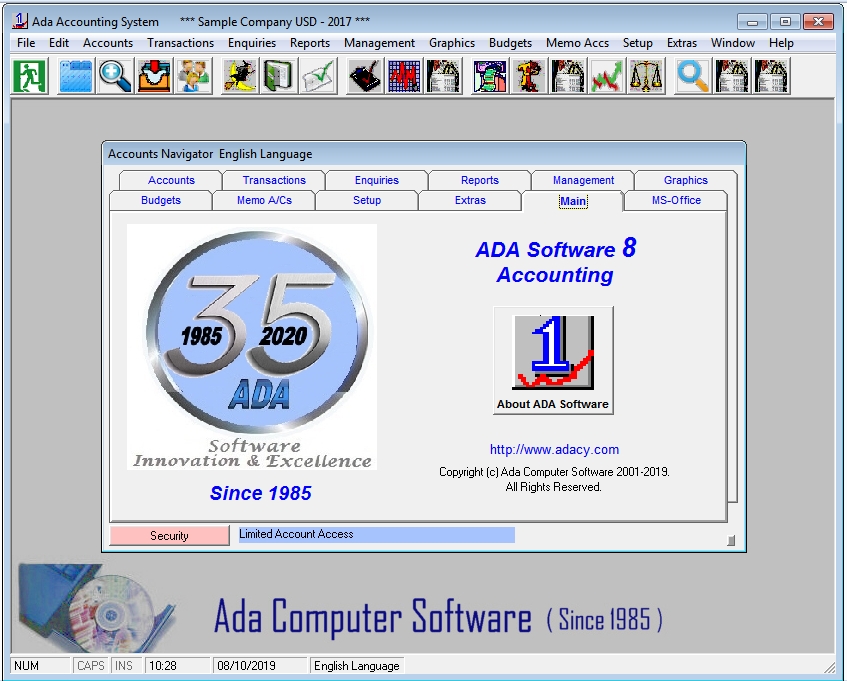 Since we
started investing in Windows our ambition was to cover most of the Market
Business Applications. We are pleased to inform you that we have now the
following Windows Applications.
Since we
started investing in Windows our ambition was to cover most of the Market
Business Applications. We are pleased to inform you that we have now the
following Windows Applications.


ADA-ERP is the first true ERP Software ever made entirely in Cyprus, running under MS-SQL.
It consists of all major modules such as Accounting, Stock Control, Orders, Fixed Assets, Payroll , Manufacturing etc based on Client's needs including Custom made modules for specific needs.
Three of the biggest Limassol Industries have already entrusted our Win-ERP, the pharmaceutical industry REMEDICA , COUVAS carton and paper Industries, ADVANCE WASHROOM & HYGIENE SERVICES and OCEANWIDE Dutch International Crew Management.
ADA-ERP has definite advantages over the imported ERP Programs :-
a) Made in Cyprus by ADA based on Cyprus reality b) Developed based on more than 30 years experience in Business Applications c) Uses the latest art of Windows technology based on MS-SQL Database to co-op with large companies d) Needs very small implementation cycle, ready to use it in very short time (few months, not few years....) e) No need for you to employee IT Experts to Implement and Maintain the Software f) VERY LOW PRICE compared to the highly expensive imported Software. Prices start from 4000 EUR. g) Small Annual Maintenance fee h) FREE SETUP & TRAINING i) Easily adjustable to your company needs j) Fully Parametric k) Included advanced features such us :- On-Line Real Time Processing Export to Excel, Word, Email, HTML, Adobe, ASCII, ODBC, Lotus, Text etc On-Line Manuals, e-learning, e-support Multi-User, Company, Currency, Stores Multi- Lingual (English, Greek, Russian) Full utilization of Computer Graphics for viewing your results Automatic connection with MS-Outlook Easy to use View the results on the screen before printing (we use the powerful Crystal Reports) Locked database so we can SECURE and PROTECT your data ! And much more !!!Custom (tailored made) Software

Besides our standard Packages we can develop special Software specifically designed and developed for a Client’s special needs. So far we have developed such programs for the Cyprus Shipping Association, Cyprus Shipping Chambers, Provident Fund of Port Workers, United Stevedoring Company,
Anticancer Society of Limassol,
Diabetics Association of Limassol, Cyprus Shipping Chambers,
Limmoil Trading for Oil
Trading, Bidewi & Sons imports & exports, Eastern Mediterranean Ship management
Co (EMS), Uniqa Marine Services, and
many more…
We will be very pleased to meet and discuss your needs no matter how complicated are.
ADA-RETAIL for Small Business & POS from 1499,00 EUR !!!
Ada-Retail is based on the powerful ADA-Accs and ADA-Stock.

In order to help more Business to benefit from ADA Software and also overcome the economic crisis Cyprus is facing, we are offering to all new Clients a discount from 20 - 30 % in all of our Software Products. This applies to Business using Dos Programs or Windows programs which they are not happy with.
Of course whatever Software you are using we will automatically import your existing data. Our prices start from as low as from 850 EUR.
Furthermore for all new Clients we offer FREE our Win-Tel (Telephone Directory Software), which worth’s 650 EUR.
For any additional information you may need you can visit our Web Site which is always up to date at http://www.adacy.com
You can contact us at the tel: +357-25366070 email: manager@adacy.com
Migrating from DOS to WINDOWS (Surprising still DOS S/W exists ???)
 ►
►
Many Companies are still using DOS programs and are reluctant or not to say afraid to move into Windows programs.
One major reason of not changing is that they believe that they will have to re-enter into Windows programs all their data from scratch (ie. Account Codes, Stock Items, Employees etc).
This is not so with ADA. We can automatically Import your existing Data into Windows, without you to do anything.
More than 85 % of our Clients have upgraded into Windows.
This will have to change very soon for the following reasons :-
a) Windows Programs are much more easier than DOS programs b) Windows Programs are much more powerful than DOS c) Windows Programs are much more reliable than DOS programs d) Windows applications is PRESENT and FUTURE, DOS is PAST e) In the very near future Computers will not be able to run the DOS Applications. f) Already many Computers running Windows XP are having problems with DOS programs. g) Windows Programs utilize the full facilities of modern Computers, printers and other hardware. h) The competition in Business gets more difficult day by day. Only those companies utilizing the latest computer technology will survive the competition.
YOU ASK - WE ANSWER - A Free Service extended to non ADA Clients
If you are not an ADA Client and you do have a question about your Software or about any subject related to the Information Technology we will be pleased to try to answer it and give you the advise you may need FREE. Of course we do not know everything but we will do our best to assist you.
However we highly respect the Copyright Software Laws and we will not interfere on any other Software companies programs but we may advise you what to do in case you can not be served for any reason from your Software vendor .This service will only be with e-mail.
It seems that the computer "experts" have nothing better to do than creating more and more dangerous viruses. For e.g. the so famous virus I Love You, destroyed more than 55 million computers around the world. It is also very important to know that the Virus are very "clever" programs that can be spread through your company Network and to all addresses you have in your email address book so the damage is not only yours but to hundreds of Others.
We would like to inform you the following BASIC rules.
BASIC IMPORTANT RULES
a) Never open an e-mail unless you expect it (It does not matter if it has an attachment file .exe or not) b) Never open an e-mail from unknown senders c) Never open an e-mail if the attachment (s) seems strange like "I love You" or "Joke" even if You know the sender. d) Be aware that even the best Antivirus program may not detect it. e) Always DELETE the strange e-mails without opening them f) Never accept an e-mail from mIRC. g) Be careful on what sites you enter on the Internet, especially adult , music and games sites which many times can spread a Virus Update frequently Your Antivirus Software and Virus Libraries . Enable the automatic Live Update facility of your Antivirus Program.. h) Do not hesitate to pay the small Annual Fee to Upgrade your Antivirus Software. i) Consult Your Computer Consultant if you have any questions. j) Be careful of what you download from Internet. k) Contact your Computer Suppliers immediately if you believe you got a Virus. IMPORTANT NOTE: IN CASE YOUR COMPUTER GOT A SERIOUS VIRUS AND THEY ARE ASKING YOU TO PAY MONEY IN ORDER TO GET RID OF THE VIRUS DO NOT DO IT. CONTACT IMMEDIATELY THE POLICE AND YOUR HARDWARE VENDOR. The Importance of BACKUP BACKUP is highly important. Is a MUST
Many users
consider it non important to make backups. They find excuses such as it never
happened to have a problem with my computer, my Software or Hardware Vendor
will come and fix it if I have a problem, i can not afford to waste time
on
backups, i forget to do it.
Then
when the problem comes and they do not have a proper backup it will be too
late.
Why we need Backup :-
·
Computers are
machines and machines do break down.
·
Hard Disks can
get corrupted for many reasons.
·
Viruses can
destroy or mess up your data
·
Your programs may
have bugs which may result in corrupting your data
·
Electricity
failures, spikes etc may result in destroying your computer and / or data.
Remember your entire business depends upon having backups of your data.
Now days
backups can be done very easily and at very low cost on CD and DVD ROMS ,
TAPES , Memory STICKS , External Hard Disk Drives etc.
Important Note: Avoid
making Backups on Memory Sticks. Memory Stick are not intended for Backup Purposes, but mainly
for transferring data. Sticks are fragile and easily destroyed !!!
We advise
you to make DAILY BACKUPS, have a WEEKLY, MONTHLY and a YEARLY BACKUP.
Make sure that all of your Data are Backup OK and that your Backup System
works OK. Enable the Verify of backup facility.
Save your
WEEKLY BACKUP at a place outside your office and your Daily Backups in a
fireproof Safe.
Save your
MONTHLY and YEARLY Backups at a Safe Deposit Box at your home or at your Bank.
The
damage can happen at any time!!!
BACKUP is highly important. Is a MUST
Many users
consider it non important to make backups. They find excuses such as it never
happened to have a problem with my computer, my Software or Hardware Vendor
will come and fix it if I have a problem, i can not afford to waste time
on
backups, i forget to do it.
Then
when the problem comes and they do not have a proper backup it will be too
late.
Why we need Backup :-
·
Computers are
machines and machines do break down.
·
Hard Disks can
get corrupted for many reasons.
·
Viruses can
destroy or mess up your data
·
Your programs may
have bugs which may result in corrupting your data
·
Electricity
failures, spikes etc may result in destroying your computer and / or data.
Remember your entire business depends upon having backups of your data.
Now days
backups can be done very easily and at very low cost on CD and DVD ROMS ,
TAPES , Memory STICKS , External Hard Disk Drives etc.
Important Note: Avoid
making Backups on Memory Sticks. Memory Stick are not intended for Backup Purposes, but mainly
for transferring data. Sticks are fragile and easily destroyed !!!
We advise
you to make DAILY BACKUPS, have a WEEKLY, MONTHLY and a YEARLY BACKUP.
Make sure that all of your Data are Backup OK and that your Backup System
works OK. Enable the Verify of backup facility.
Save your
WEEKLY BACKUP at a place outside your office and your Daily Backups in a
fireproof Safe.
Save your
MONTHLY and YEARLY Backups at a Safe Deposit Box at your home or at your Bank.
The
damage can happen at any time!!!
Even if you loose one letter it might be highly important for you.
Always buy ORIGINAL Software In Cyprus
as in many other countries many people think that is not important to buy and
use original Software since they can get it for free or pay only
for the installation. They
believe that they do not have to buy the Software since they can have a copy.
This is
totally WRONG....
Based on
recent statistics released by BSA Cyprus (Business Software Alliance), in
2014, 47 % of the Software used in Cyprus is illegal pirate Software.
This
resulted in losing Millions for the Cyprus Government in Taxes and
for the Software Developers.
These are
some reasons why you should buy and use ORIGINAL SOFTWARE
·
The copy is not exactly
the same as the original Software
·
If you have a copy you can not
get a Support in case of a problem
In Cyprus
as in many other countries many people think that is not important to buy and
use original Software since they can get it for free or pay only
for the installation. They
believe that they do not have to buy the Software since they can have a copy.
This is
totally WRONG....
Based on
recent statistics released by BSA Cyprus (Business Software Alliance), in
2014, 47 % of the Software used in Cyprus is illegal pirate Software.
This
resulted in losing Millions for the Cyprus Government in Taxes and
for the Software Developers.
These are
some reasons why you should buy and use ORIGINAL SOFTWARE
·
The copy is not exactly
the same as the original Software
·
If you have a copy you can not
get a Support in case of a problem
 Software
consists of two things, the Source Code and the Executable code. The Source
code is the code in English like language that is used to develop the
Application using one of the programming languages like Visual Basic, Java etc
Software
consists of two things, the Source Code and the Executable code. The Source
code is the code in English like language that is used to develop the
Application using one of the programming languages like Visual Basic, Java etc
The Object or Executable Code is the translation of the Source Code in a form that only the computer can read and execute.
Nearly all people think that the Software they buy, whether this is Windows operating system, Antivirus, Microsoft Office Software, Business Applications (Software you purchase from ADA e.g. Accounting) belongs to them.
This is logical to be true. However things are not like this. What you really buy is the right of using the Software. The Software itself belongs to the Software Developer. In facts what you are buying is the Executable code.
Furthermore from time to time, usually every year, you have to renew the license of using the Software. This must be covered by your Maintenance Agreement.
To develop the Software costs thousands of pounds and man hours. If you were given the Source Code then you should have paid too many thousands.
Furthermore you can get the Software Updates, Upgrades that the developer is making at a very low cost, if you pay the Annual License Renewal Fee or the Maintenance fee.
By not having the source code it also protects you risking making same changes to the Software.
Some people think that they have become Programmers if they know a little bit of programming in Access.
However there are some cases that you can buy the source code, something that usually costs a lot of money and then the Software is yours. This usually applies for Custom made business applications for large business.
Why MAINTENANCE is HIGHLY IMPORTANT?
 Usually
most times you buy a Computer or Software the Vendor talks about guarantee
period and Annual Maintenance.
Guarantee
period is the time you are covered for free from any problems you may have
from your Hardware or Software. Usually it
varies from three months to a one year for the Software and from one year to
three years for the Hardware. What it covers depends upon each Vendor.
After the
expiration of the guarantee period, in order to be covered from any
problems you may have and ask for support from your Vendor you must pay.
After all nobody can give you Free Service for ever. For the
Software, Maintenance is a renewal of License for the right of using the
Software. Remember you do not buy the Software. You buy the right of use of
the Software for a period of time. The Software is an intellectual property
of your Vendor unless is a Freeware.
This can be
done by either paying by the hour and for any hardware
parts that need replacement or by paying an Annual Maintenance Fee.
Paying by
the hour it can become highly expensive. Therefore it offers you
to
pay for the Annual Maintenance fee.
For Software the Maintenance is a must and for Hardware
optional. However we recommend to have also Hardware Maintenance. It not
only protects you from any problems and provides you support and updates but
mainly
is the Renewal of the License of Using the Software.
By paying
the Maintenance fee you are entitled to priority service from your
Vendor. If you pay by the hour most times you have to wait in the line to be
served.
What
Maintenance usually offers you are :-
Hardware :-
Fixing of the problem
Replacement of faulty parts
Telephone Service and Support
Special offers
Software :-
Renewal of license for using the Software
Fixing of the problem
Receive the Software Upgrades Free or at a high discount
Free Service and Support
Special Offers
At ADA
we offer the following services to our Clients under Maintenance :-
Usually
most times you buy a Computer or Software the Vendor talks about guarantee
period and Annual Maintenance.
Guarantee
period is the time you are covered for free from any problems you may have
from your Hardware or Software. Usually it
varies from three months to a one year for the Software and from one year to
three years for the Hardware. What it covers depends upon each Vendor.
After the
expiration of the guarantee period, in order to be covered from any
problems you may have and ask for support from your Vendor you must pay.
After all nobody can give you Free Service for ever. For the
Software, Maintenance is a renewal of License for the right of using the
Software. Remember you do not buy the Software. You buy the right of use of
the Software for a period of time. The Software is an intellectual property
of your Vendor unless is a Freeware.
This can be
done by either paying by the hour and for any hardware
parts that need replacement or by paying an Annual Maintenance Fee.
Paying by
the hour it can become highly expensive. Therefore it offers you
to
pay for the Annual Maintenance fee.
For Software the Maintenance is a must and for Hardware
optional. However we recommend to have also Hardware Maintenance. It not
only protects you from any problems and provides you support and updates but
mainly
is the Renewal of the License of Using the Software.
By paying
the Maintenance fee you are entitled to priority service from your
Vendor. If you pay by the hour most times you have to wait in the line to be
served.
What
Maintenance usually offers you are :-
Hardware :-
Fixing of the problem
Replacement of faulty parts
Telephone Service and Support
Special offers
Software :-
Renewal of license for using the Software
Fixing of the problem
Receive the Software Upgrades Free or at a high discount
Free Service and Support
Special Offers
At ADA
we offer the following services to our Clients under Maintenance :-
1) License of Using the
Software after expiration of Guarantee.
2)
Assistance at your premises
whenever required with
Priority
Response.
3) Assistance through Telephone
HOT-LINE SERVICE, Team Viewer or E-MAIL.
4) Future versions and
improvements / updates of the systems are
offered
FREE of CHARGE (We constantly improve our products).
5) Minor changes or minor requirements you may need in the
future.
6) Recovery of Data (if
possible) and Programs from Hardware Failure. However
DO NOT
FORGET YOUR DAILY BACKUPS . ..
7) As above from Electricity problems or related factors. Please not that an On-Line
UPS is advisable.
8) As above from Users Mistakes.
9) Correction of any Software problems (bugs if any) absolutely
free.
10) FREE Software and
Hardware
CONSULTANCY.
11) Close assistance in periodical functions such as End of Year.
12) Data Files Archiving.
13)
Regular system inspections
to ensure that everything runs smoothly.
14) Assistance in Training new Users.
15) Files Maintenance
if required.
16)
Attractive Discounts to other
Software Products.
Buying a Computer – Important Hints
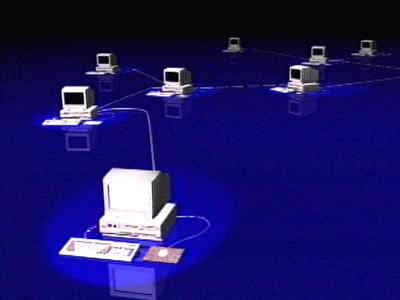
In our days everyone is an expert. Although in our times specialization is highly critical and important, some people think they know just about everything. That is why many people make the wrong decision and they buy a computer that does not fit their needs.
Usually they go around the computer shops with some specifications they hear about a computer from a friend or a so called expert they happen to know and they choose the computer with the cheapest price or the more bundled Software (most times not needed for them and unfortunately copies and not original). I know a doctor that bought a computer which had installed in it any software you can imagine (from Corel to AutoCAD….!!!)
Here are some tips that you should know :-
a) Tell the Computer dealer what you want the computer for and listen to his advice b) Make sure that the Applications Software you want to run on the computer can work fast and nicely c) Ask for Antivirus program to be included d) Make sure that your computer has Backup facilities e) Always buy from a Computer dealer that has experience in the market f) Always ask for the guarantee period and what it covers g) Always make sure that the Software given to you with the Computer is original h) Always ask for the support time when you have a problem. i) Check how much is the Annual Maintenance fee and what it covers j) Check for the expandability of the Computer k) Always buy the latest models, since computer models change much faster than mobiles l) Of course make sure that your computer is using the latest version of Windows operating system m) Do not buy a computer that does more than what you want. You will pay extra money without ever using the facilities n) The fact that one price is cheaper than the other is not a factor to buy from this Computer dealer o) Always have a written contract and never have a trust on oral agreements (shaking hands in our business rarely works) What is a computer? – A little bit of History
 In all
Schools in Cyprus starting from the Elementary School, the students
are
learning computers. The teachers try to teach the students based on
books provided by the Ministry of Education.
However
things are not easy. The students do not understand what the teachers are
talking about, so they are asking for help from their parents.
Most
parents are not however familiar with the computers and they have to read the
books to understand and then explain to their children.
But again
this is not so easy. The terminology and the way the books are explaining the
subject is not easy. They have written the books in Greek language which
unfortunately is not the proper one for computers. Although
Greek terminology is used by nearly all Sciences (medicine, astronomy,
physics, chemistry and of course mathematics), when it comes
to
computers all the glossary and terms are in English and is difficult to
translate and explain in Greek.
So as a
result the students instead of becoming literate with computers they
are
just
learning them by heart.
Here I must
blame also the teachers since they do not give much importance to the course
of Computers. Computer classes instead of having the importance they should
have, became less important like Gymnastics, Art and Music classes. So the
students loose their interest.
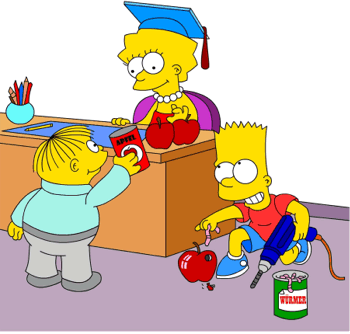
Another
problem created is the fact that the teachers create a misunderstanding about
Computer Studies. Most students and parents believe that in order to study
Computers you must be very good in Mathematics This is
totally wrong. Only Numerical Analysis (a section of computer studies), has a
very close relationship with computers. All other Computer
Courses like Software Development, Web Designer, Networking, Computer Engineer
they need very little of Mathematics. Surely one
student who is good with Mathematics has an advantage, since
Mathematics can help you in better thinking.
We
hope you have found our Tips & Hints Interesting, Any suggestions from you
to improve this page are mostly welcome.
In all
Schools in Cyprus starting from the Elementary School, the students
are
learning computers. The teachers try to teach the students based on
books provided by the Ministry of Education.
However
things are not easy. The students do not understand what the teachers are
talking about, so they are asking for help from their parents.
Most
parents are not however familiar with the computers and they have to read the
books to understand and then explain to their children.
But again
this is not so easy. The terminology and the way the books are explaining the
subject is not easy. They have written the books in Greek language which
unfortunately is not the proper one for computers. Although
Greek terminology is used by nearly all Sciences (medicine, astronomy,
physics, chemistry and of course mathematics), when it comes
to
computers all the glossary and terms are in English and is difficult to
translate and explain in Greek.
So as a
result the students instead of becoming literate with computers they
are
just
learning them by heart.
Here I must
blame also the teachers since they do not give much importance to the course
of Computers. Computer classes instead of having the importance they should
have, became less important like Gymnastics, Art and Music classes. So the
students loose their interest.
Another
problem created is the fact that the teachers create a misunderstanding about
Computer Studies. Most students and parents believe that in order to study
Computers you must be very good in Mathematics This is
totally wrong. Only Numerical Analysis (a section of computer studies), has a
very close relationship with computers. All other Computer
Courses like Software Development, Web Designer, Networking, Computer Engineer
they need very little of Mathematics. Surely one
student who is good with Mathematics has an advantage, since
Mathematics can help you in better thinking.
We
hope you have found our Tips & Hints Interesting, Any suggestions from you
to improve this page are mostly welcome.
Your feedback is very welcome
Yours Sincerely
Athos D. Tillyris
Managing Director - Senior
Information Technology Consultant
ADA COMPUTER
SOFTWARE
tel:
+357-25366070
Your Business Solutions Companion !